Download
Brochure
Why you Need an AI Contact Center and How to Build it


 Register
 Watch
Watch

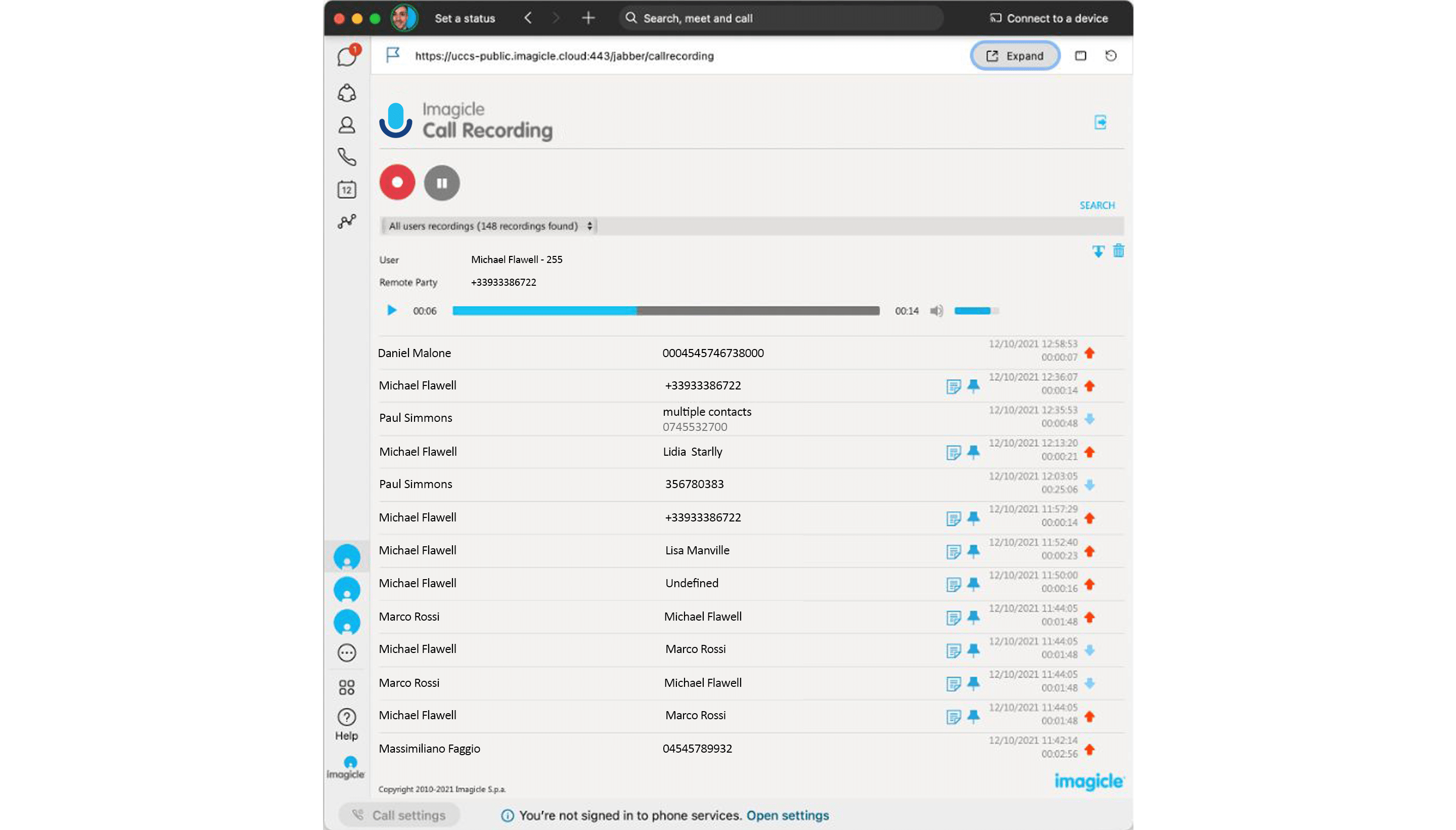
Centralized capture across devices and platforms with a variety of recording modes: always-on (with percentage sampling), on-demand, and live keep.
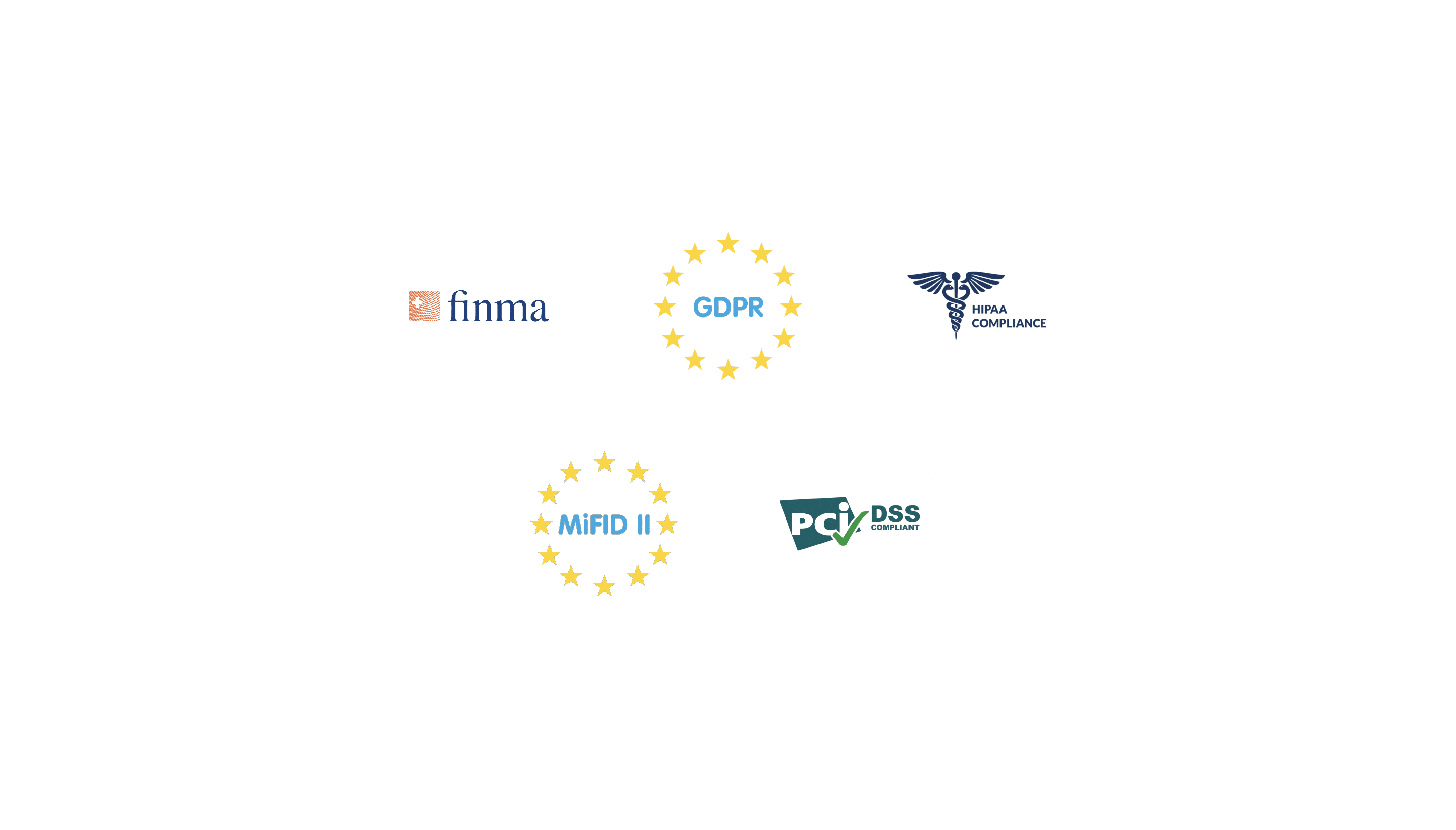
Capture conversations securely to protect data and meet security regulations such as GDPR, MiFID II, PCI-DSS, and HIPAA.
Support geographically distributed environments and deliver the same high-level features to mobile and remote workers, from any device.
Leverage prerecorded calls in training and coaching process as an effective way to train agents and elevate customer experience.
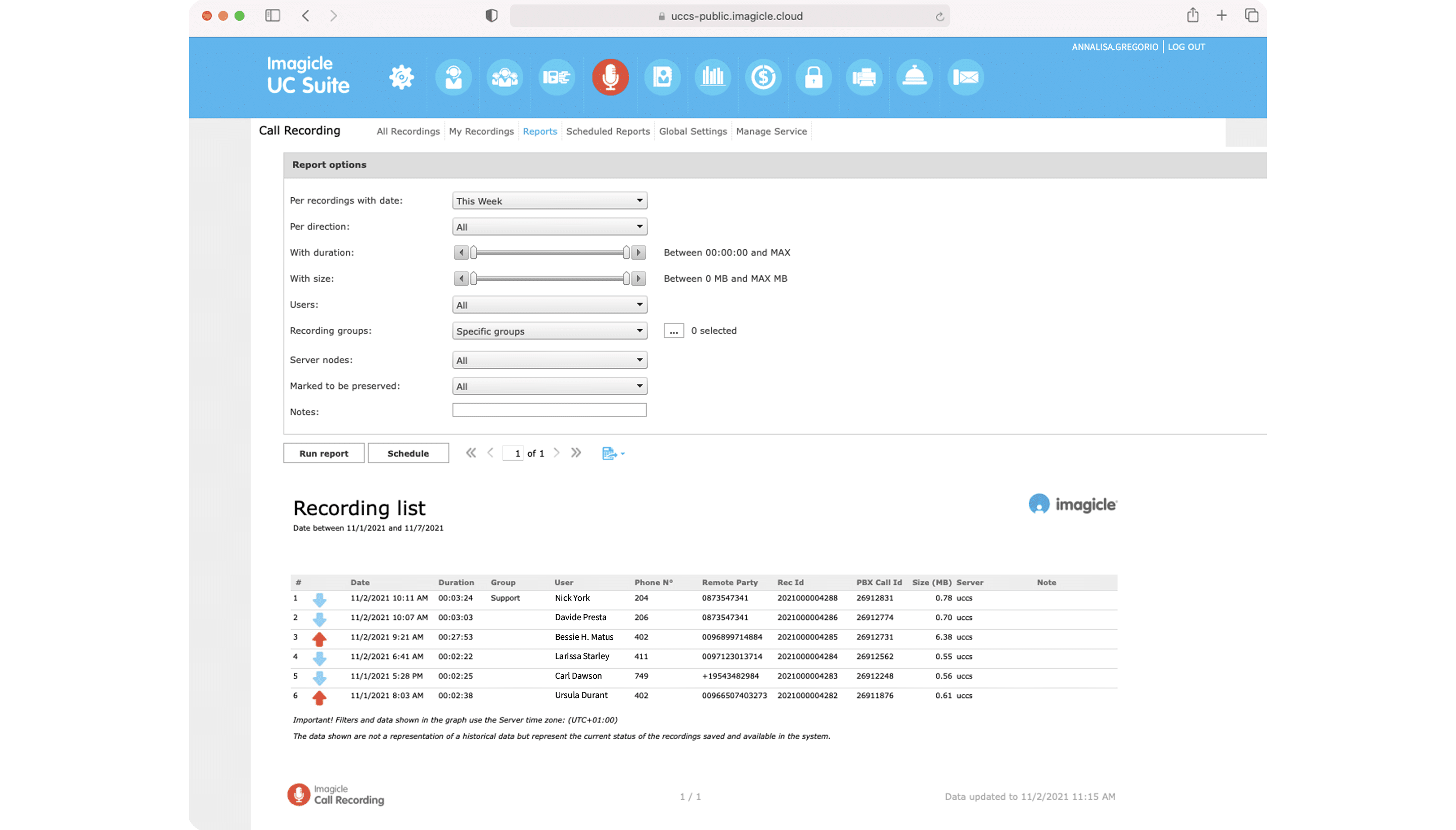
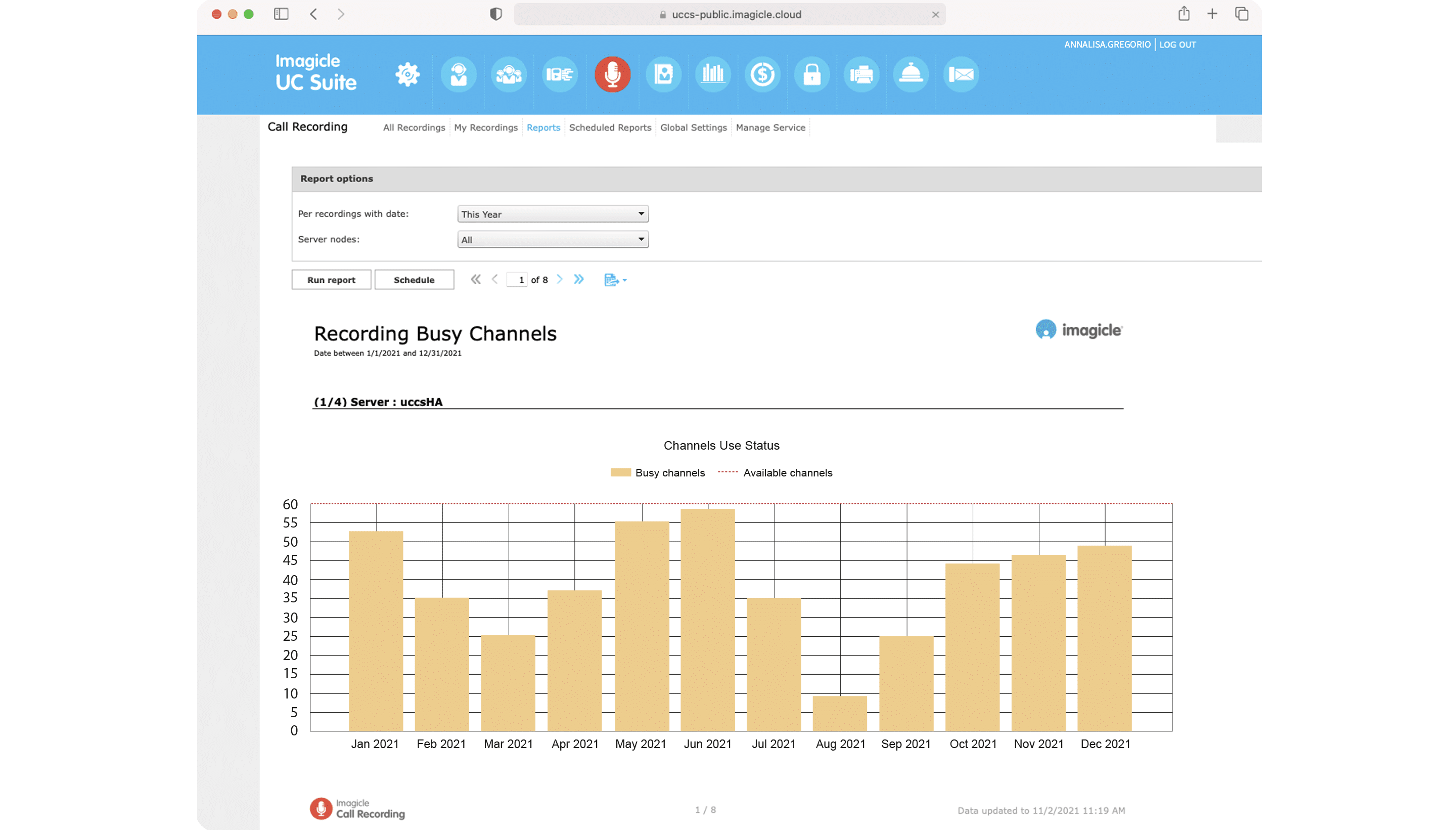
Get detailed reports across your organization. Plus, get an extensive and complete analysis of what happened during calls thanks to Voice Analytics and Screen Recording functionalities and make data-driven decisions.
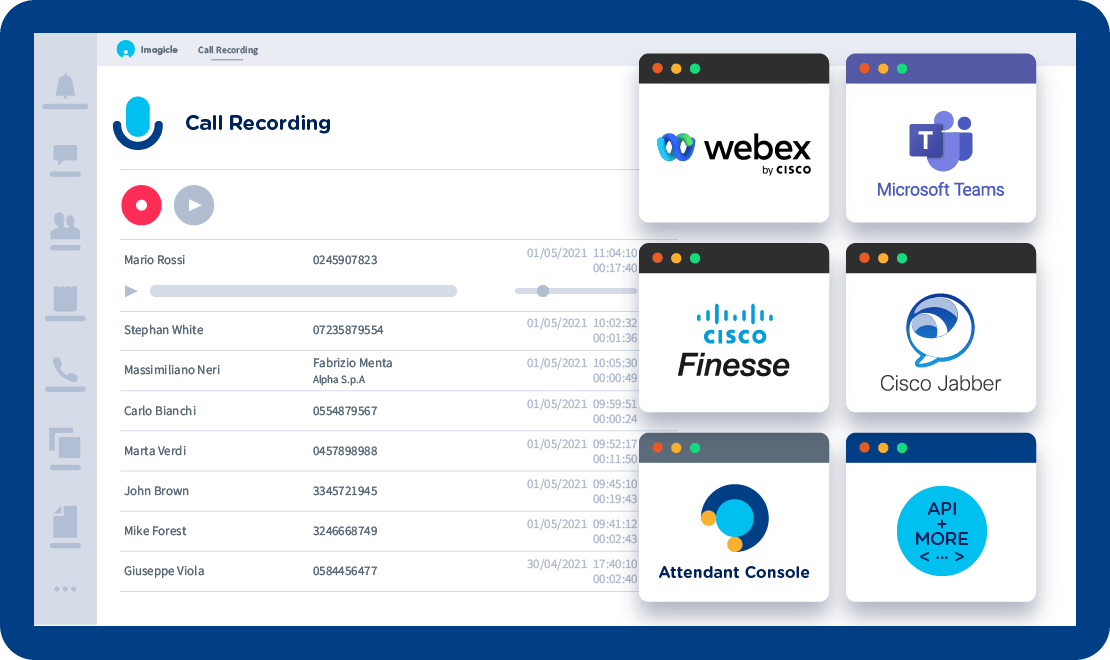
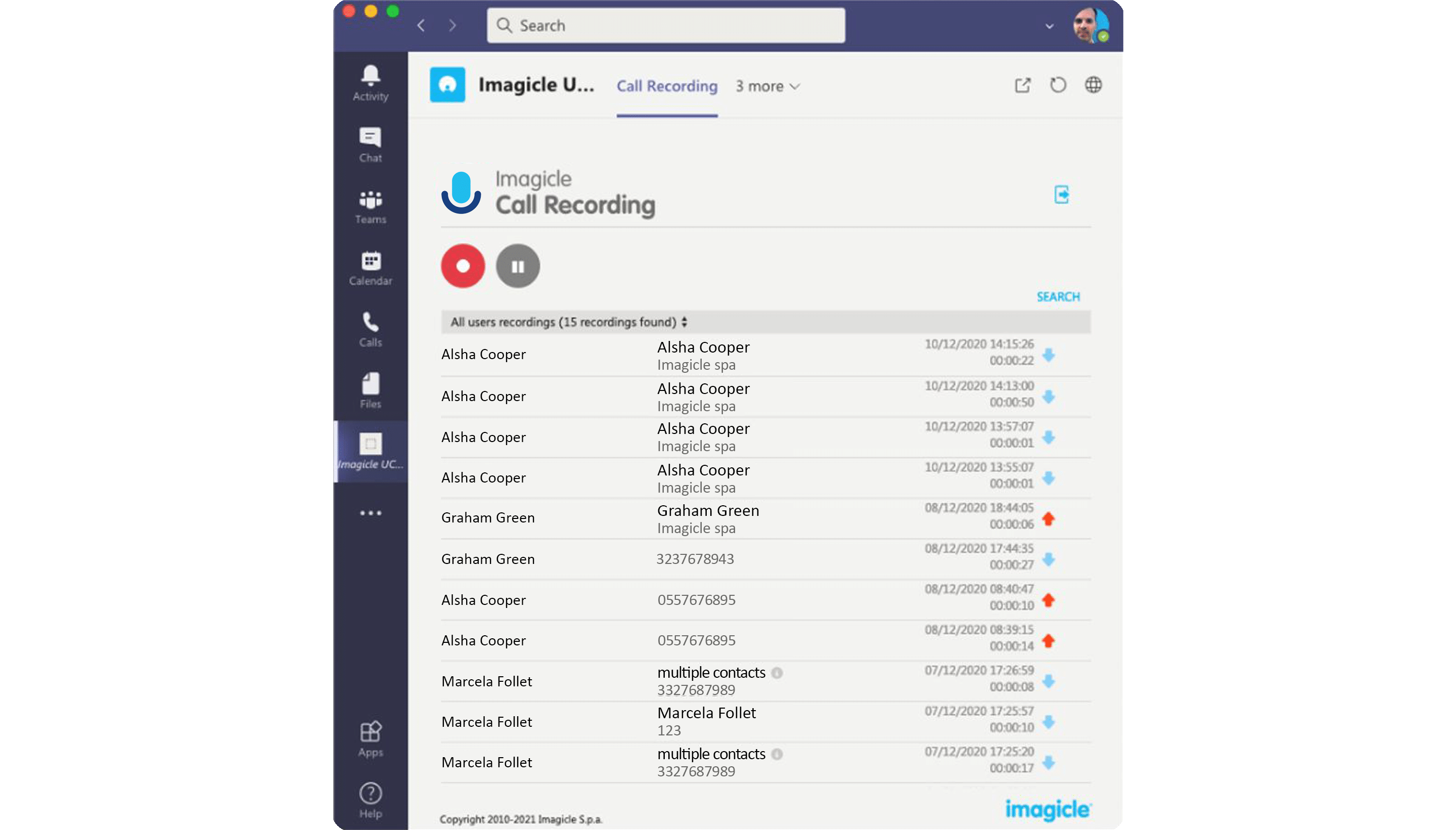
Recording solution for Microsoft Teams, Cisco Phones, Cisco Webex, Jabber, Finesse, and Imagicle Attendant Console.
Centralized capture across devices and platforms with a variety of recording modes: always-on (with percentage sampling), on-demand, and live keep.
Capture conversations securely to protect data and meet security regulations such as GDPR, MiFID II, PCI-DSS, and HIPAA.
Support geographically distributed environments and deliver the same high-level features to mobile and remote workers, from any device.
Leverage prerecorded calls in training and coaching process as an effective way to train agents and elevate customer experience.
Get detailed reports across your organization. Plus, get an extensive and complete analysis of what happened during calls thanks to Voice Analytics and Screen Recording functionalities and make data-driven decisions.
Recording solution for Microsoft Teams, Cisco Phones, Cisco Webex, Jabber, Finesse, and Imagicle Attendant Console.
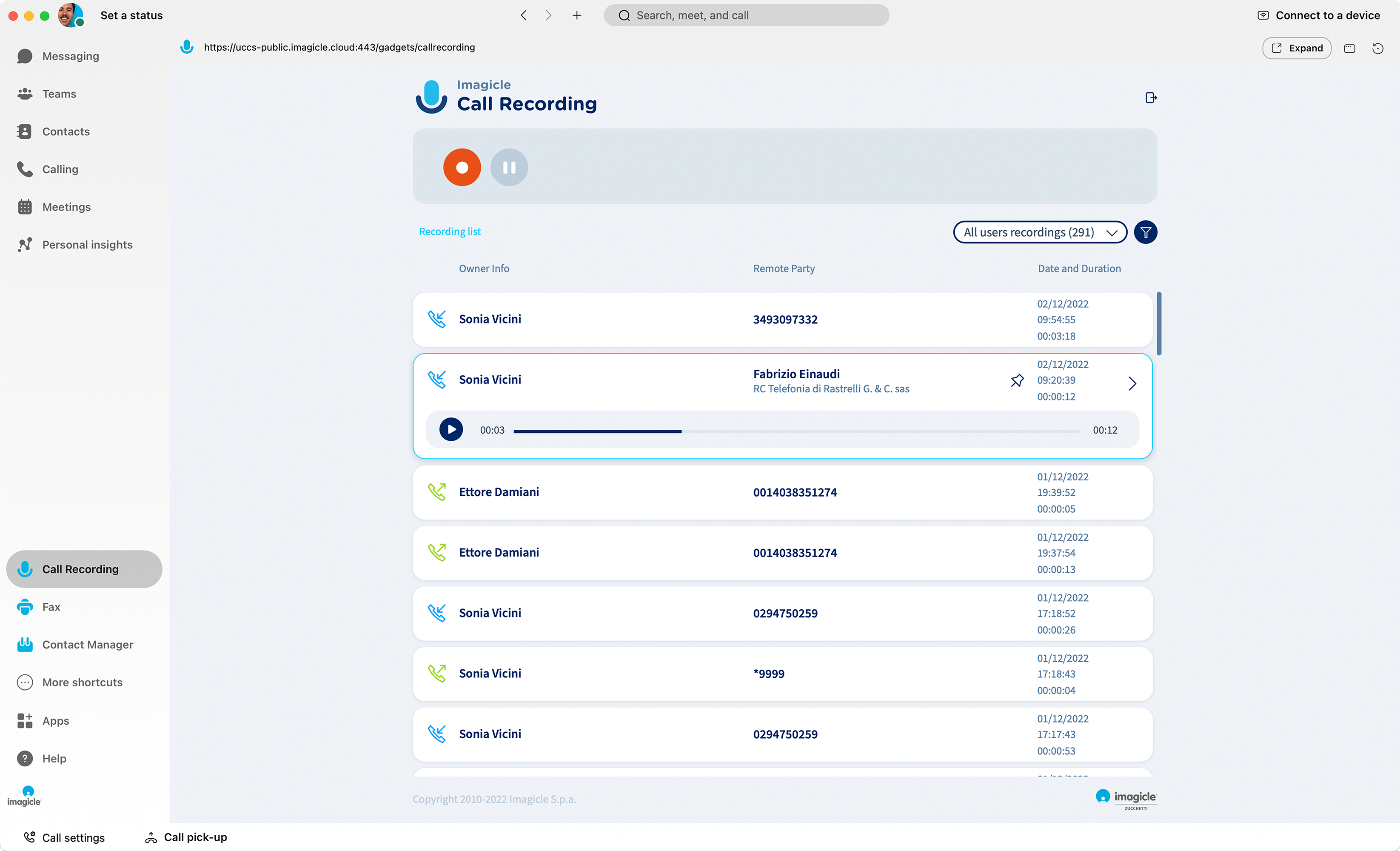
Call Recording for Webex
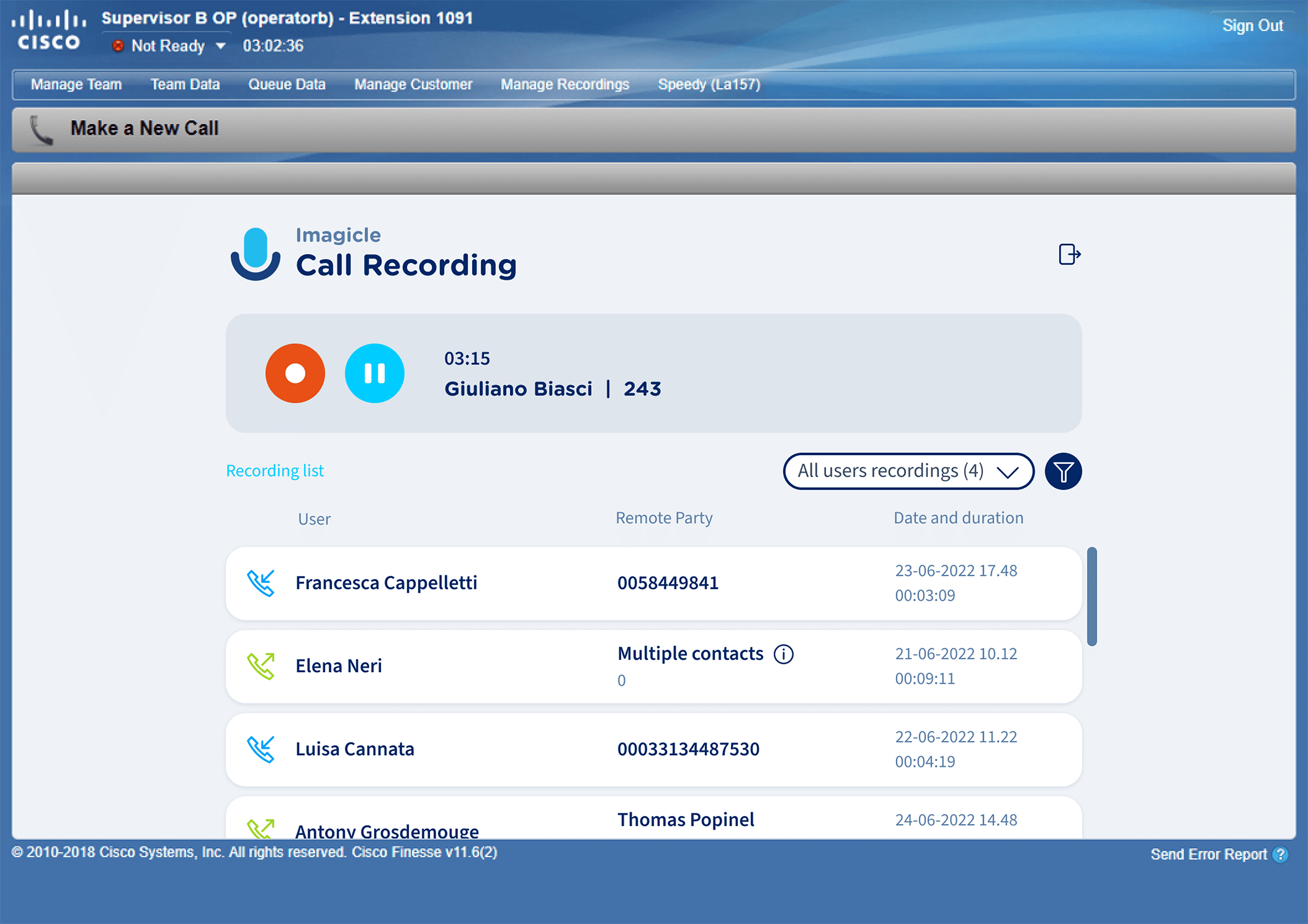
Call Recording for Cisco Finesse
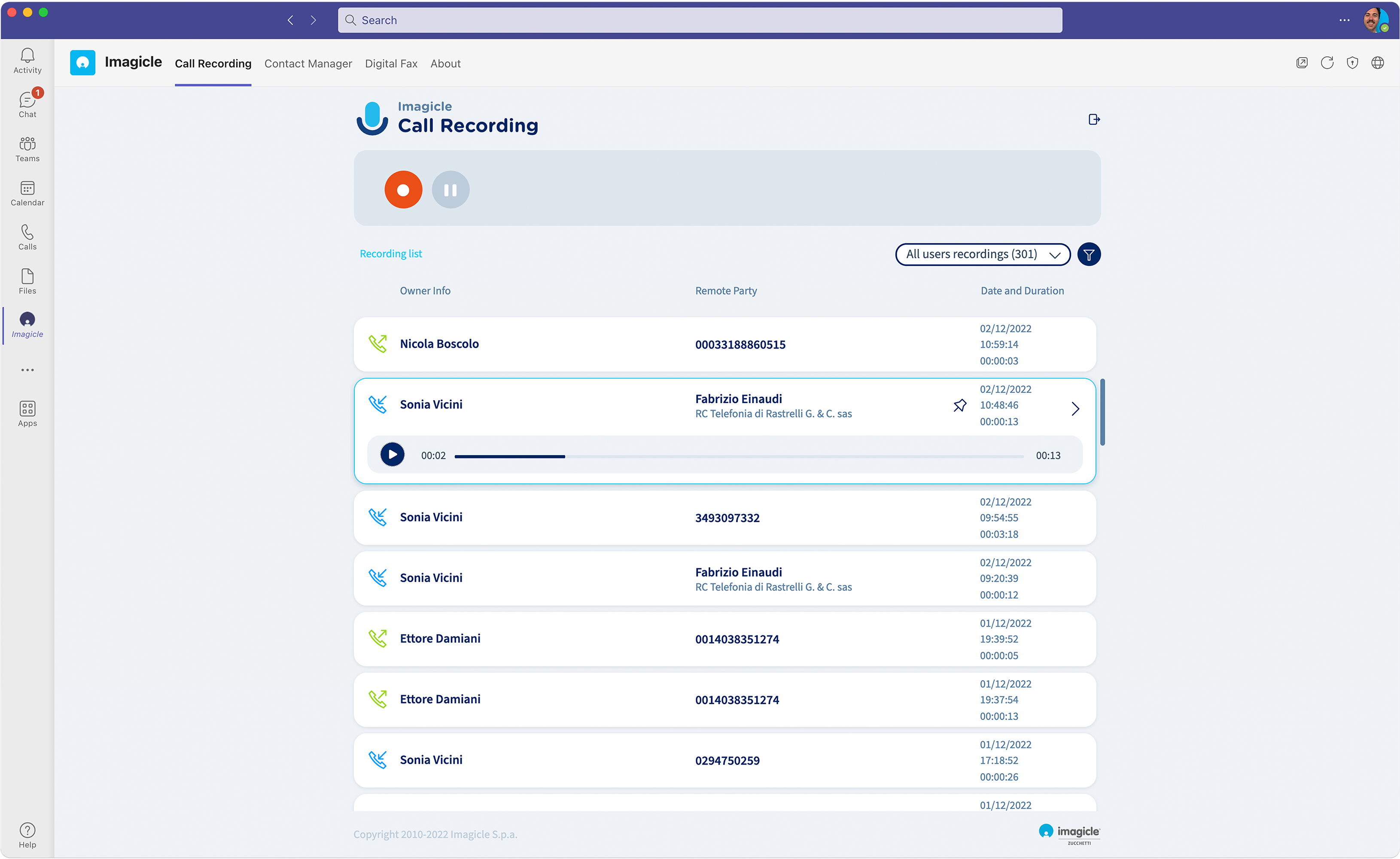
Call Recording for Microsoft Teams
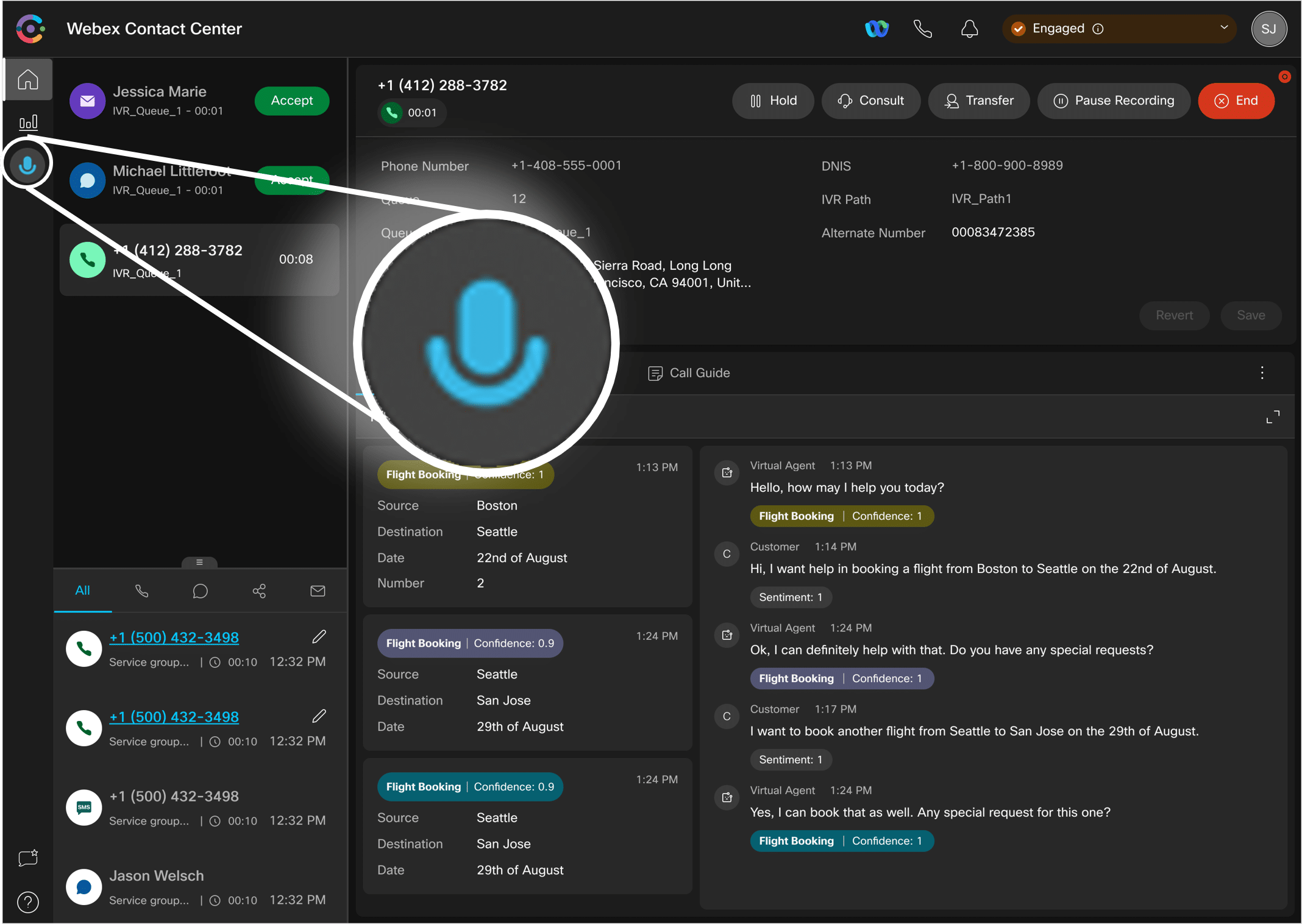
Call Recording for Webex Contact Center

Manage your calls quickly and professionally: transfer, park, notify calls on hold and check your colleagues' status.
Learn More
AI-powered add-on of Imagicle Call Recording to get transcripts and sentiment analysis of your conversations.
Learn More
On top of voice, it adds screen recording functionalities to Call Recording to get the complete picture of customer interactions.
Learn More
 Download
Watch
Download
Watch
Download
Watch
Download
Watch
What calling platforms is Call Recording compatible with?
Platforms listed in the following table have been verified for operation with the product. Imagicle solutions are based on technological standards and therefore operate with many of the most commonly used systems on the market. Should your system not be listed, please contact our technical department to check interoperability. Cloud Connector, Office365 and Teams are currently not supported.
What endpoints is Call Recording compatible with?
Download
Download
Watch
Register
Watch
Watch
Register
Watch
Download
Download
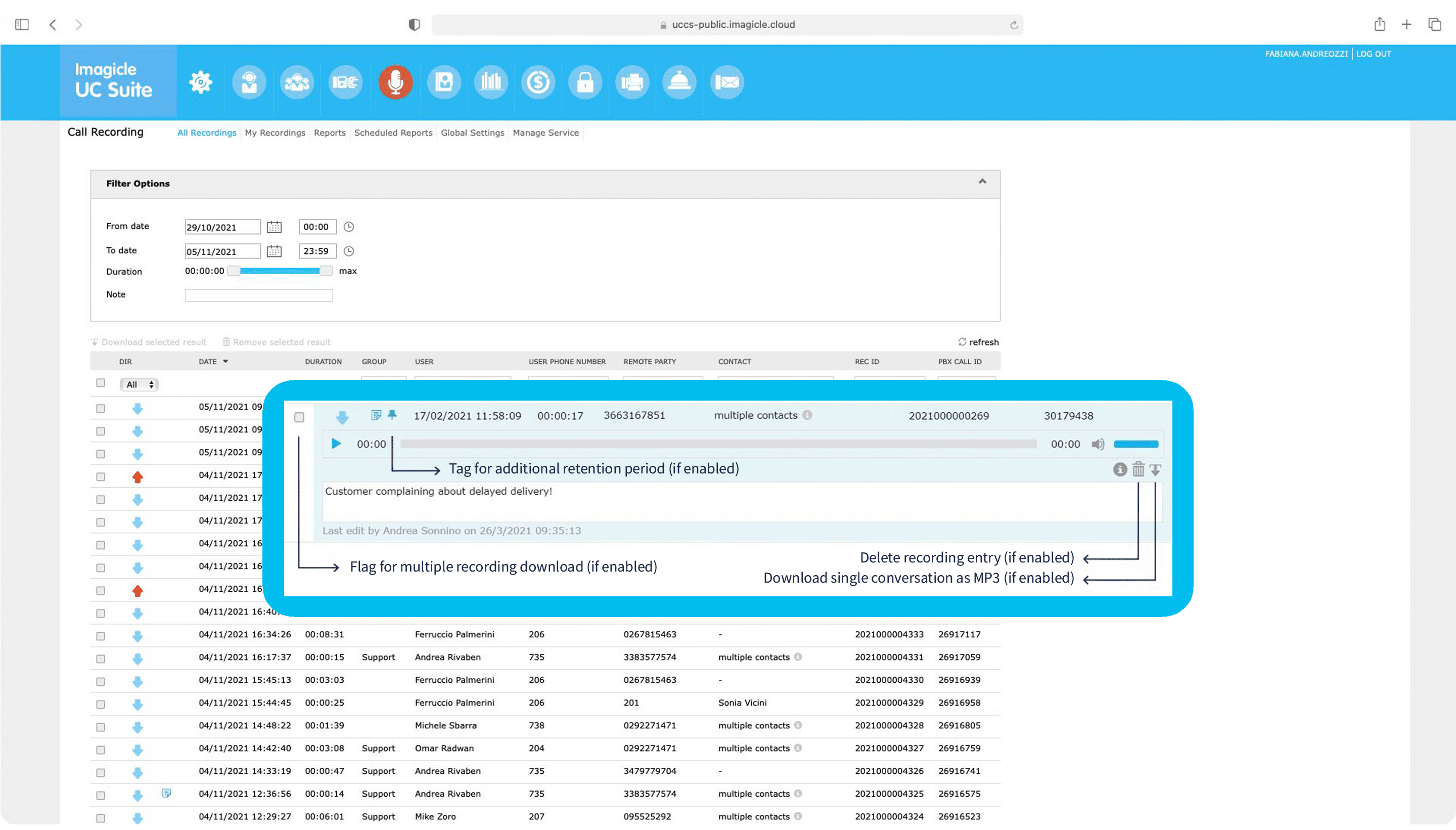
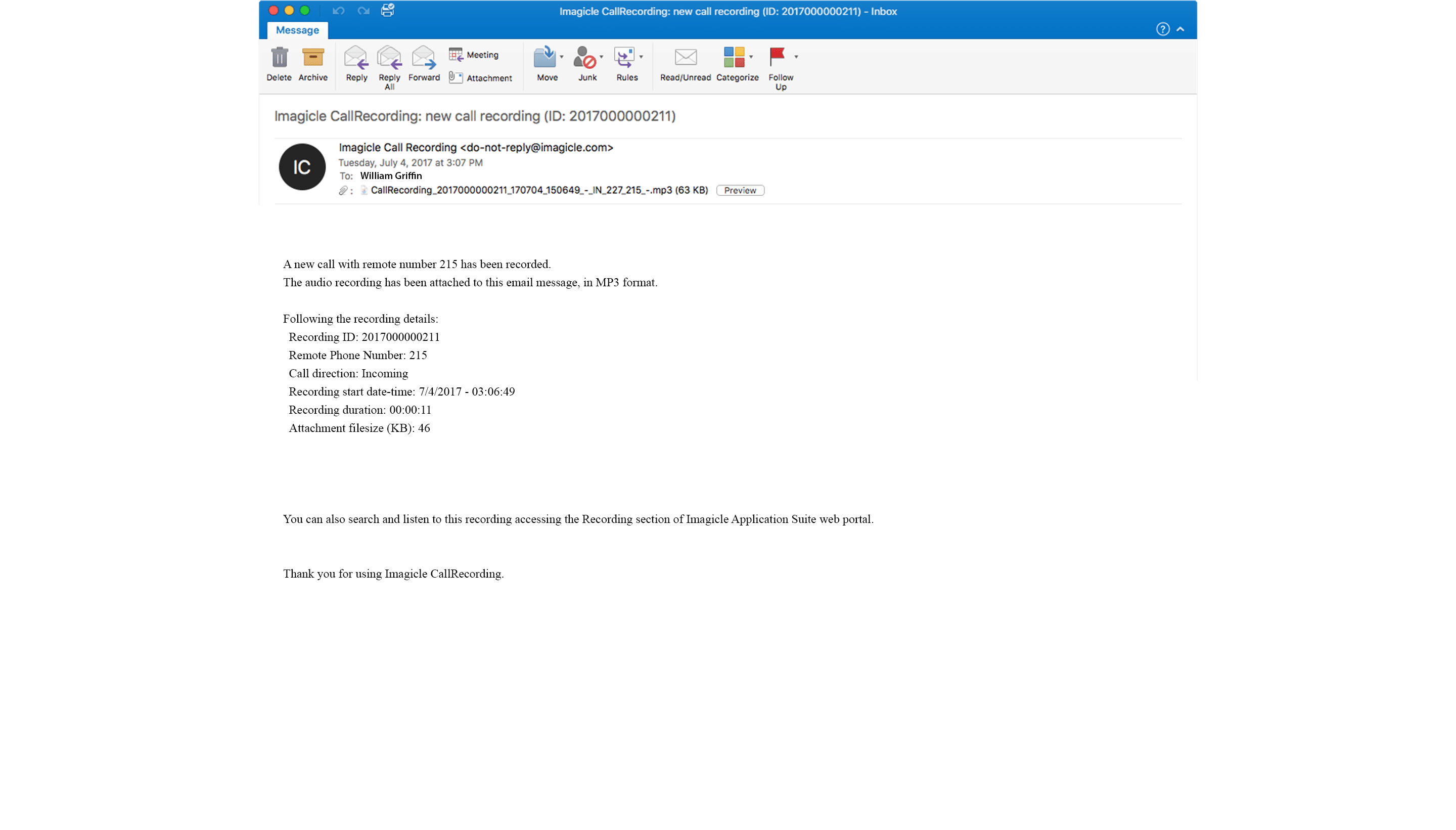
Imagicle Call Recording is a secure, enterprise-grade solution that automatically or manually records phone calls across Cisco platforms and Microsoft Teams. It captures voice calls, encrypts and stores them safely, and provides a web portal plus a Webex/Teams gadget where authorized users can search, play back, download, tag, or delete recordings based on assigned permissions.
Imagicle Call Recording supports Microsoft Teams (hosted in Azure Private Cloud), Webex Calling (Dedicated Instance and Multi-Tenant), Cisco UCM, BroadWorks, Cisco CCME/CUBE, and any Media Gateway supporting the SIPREC protocol. It can run in cloud, on-prem, or hybrid deployments.
Yes. Imagicle provides secure recording workflows designed to support compliance with GDPR, HIPAA, PCI-DSS, MiFID II, FINMA, and others. Features such as AES encryption, role-based access, configurable retention, legal hold, audit logs, and antitampering ensure compliant handling of sensitive recorded data.
The solution supports Always-On Recording (with the option of percentage-based sampling), On-Demand Recording, Live Keep, and Pause/Resume for privacy. Always-On and On-Demand are available on all supported platforms, while Live Keep is Cisco UCM-specific.
Recordings are stored as MP3 files encrypted with AES-256 and indexed in the UCX database. They are saved in a structured folder hierarchy (year/month/day) under the UCX Suite installation path, or optionally on external storage (NAS, private cloud, or customer-provided infrastructure). AES encryption, secure transmission, role-based access, retention policies, and audit trails ensure full protection. For more details, see the On-prem UCX Suite Data Processing and Storage section in the Imagicle Call Recording KB and the article Change the path where the encrypted audio tracks of the recorded calls are stored.
Yes. Imagicle provides a Screen Recording add-on that captures the agent’s desktop activity alongside the call audio, ideal for contact centers, QA teams, and compliance scenarios. It’s not available for Microsoft Teams.
Yes. Imagicle integrates with Imagicle Voice Analytics, which offers transcription, sentiment analysis, keyword spotting, dashboards, agent-performance insights, and trends. Recordings can be automatically uploaded from UCX Suite to the Voice Analytics portal to enable compliance-ready workflows such as case review, dispute resolution, and quality assurance.
Call recording quality is typically evaluated by checking audio bitrate (Imagicle stores MP3 at 32 kbps), codec compatibility (e.g., G.711 vs unsupported codecs), packet loss, jitter, and endpoint audio quality. Administrators should validate that media-forking/SIPREC streams reach the recorder, that codecs are supported or transcoded, and that firewalls are not blocking RTP.
In the UCX Suite admin portal, you must create or edit the user record with the correct extension, PBX credentials or PBX User ID (e.g., Webex line ID, Teams email, CUCM end user), email address, and desired recording mode. The user must also have the appropriate license assigned (user-based or channel-based). If screen recording is needed, the Screen recording agent username (Windows logon) must be filled in. Missing or incorrect configuration (such as unassigned extension, invalid PBX username, missing email for Voice Analytics, or disabled user) will prevent recordings from being captured.
From a technical point of view, reasons include incorrect user configuration (no matching UCX user or user not enabled for recording), unsupported endpoints, missing or misrouted SIPREC/media-forking calls, codec mismatches, firewall or routing issues, insufficient recording channels, or licensing problems. The KB provides detailed troubleshooting flows (test calls, SIP traces, codec checks, bandwidth checks, monitoring events, etc.) for each scenario.
From an admin point of view, if you set Always-On Recording with the option of percentage-based sampling, some calls won’t be recorded due to the nature of this setting.
In the admin portal, the system administrator can configure storage locations (local disk, external NAS, or customer storage), retention rules, and encryption policies for call recordings. Encrypted storage (AES-256) is recommended for compliance environments, while unencrypted storage may be used for specific non-sensitive use cases. For an overview and setup guidance, see Getting started with Call and Screen Recording and, for changing the recording path, Change the path where the encrypted audio tracks of the recorded calls are stored.
Yes. REST APIs allow retrieval of recording lists and metadata, download of audio files, searches based on filters, and integration of recordings into CRM, ticketing, archiving, or compliance systems. API information is linked from Getting started with Call and Screen Recording and the Imagicle developer resources.
Administrators can configure granular role-based access control (RBAC) per user or group, assigning permission levels such as Record Only, Base Access, Supervisor (group-based), or Administrator. These roles define who can search, play, download, delete, tag, or view associated screen recordings. See the User Permissions section in Product Configuration – User Properties.
Retention rules let you automatically delete recordings after a defined period, according to compliance or internal policy. Administrators can set global retention, manage different storage backends, and apply legal hold on specific recordings so they are not deleted by automated processes.
Yes. Supported softphones and devices allow agents to pause/resume recording during sensitive parts of the conversation (e.g., credit-card details, personal data), depending on the recording method and platform configuration. Controls and triggers can be managed via UCX “Recording Control” settings and phone services.
Legal firms gain secure, tamper-proof storage of client communications, protected by AES-256 encryption, RBAC, audit logs, and legal-hold capabilities. This supports evidence preservation, compliance, dispute resolution, and documentation of verbal agreements. When combined with Imagicle Voice Analytics, firms can transcribe calls, search for keywords, analyze sentiment, and monitor trends to streamline case review and quality control, while Imagicle Call Recording provides the compliance-grade recording foundation.
Manage your calls quickly and professionally: transfer, park, notify calls on hold and check your colleagues' status.
Learn More
AI-powered add-on of Imagicle Call Recording to get transcripts and sentiment analysis of your conversations.
Learn More
On top of voice, it adds screen recording functionalities to Call Recording to get the complete picture of customer interactions.
Learn More